If you are looking for an arrest record in Ohio (especially in Columbus, Cleveland, or Cincinnati), you don’t have time to guess. You need to know if your friend or family member is behind bars and what the bond is.
We use a proven two-step system to get you the facts:
-
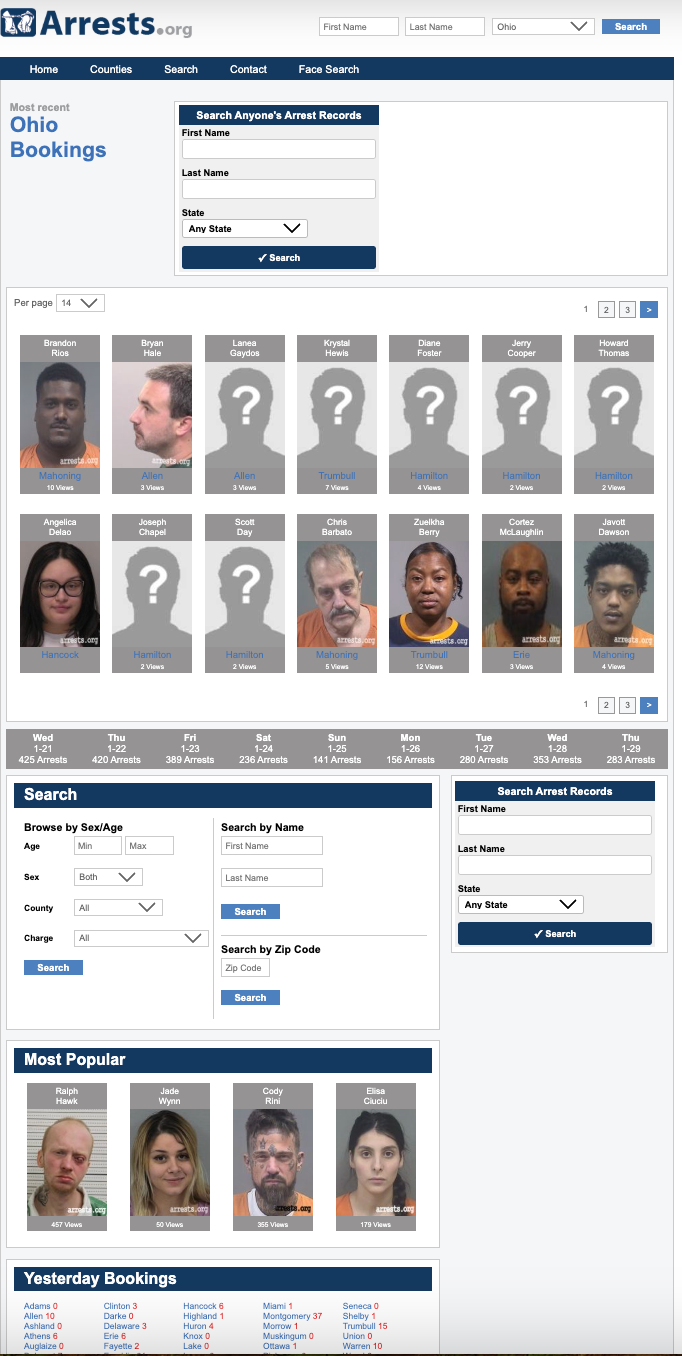
Step 1 (Speed): Use Ohio.Arrests.org to see the mugshot and charges instantly.
-
Step 2 (Accuracy): Verify the current status with the Official County Sheriff’s database (because third-party sites lag).
Here is exactly how to do it.
Part 1: How to Search “Ohio Arrests Org”
Ohio.Arrests.org is the best starting point because it aggregates data from all 88 counties into one feed with photos.
Step 1: Select Your County Immediately Do not browse the main homepage; it is too messy. Click the specific county where the arrest happened:
-
For Columbus: Click “Franklin”.
-
For Cleveland: Click “Cuyahoga”.
-
For Cincinnati: Click “Hamilton”.
-
For Dayton: Click “Montgomery”.
-
For Akron: Click “Summit”.
Step 2: Use the “Smart” Filters Once on the county page:
-
The “Recent” Rule: The grid automatically shows the newest bookings from the last 24 hours.
-
Search by Name: Use the search bar at the top. Enter the Last Name.
-
Pro Tip: If you are unsure of the spelling, type just the first 3 letters. The system will match “Smi” to “Smith,” “Smithson,” etc.
-
Step 3: Read the Profile Codes Clicking a photo reveals the inmate profile. Look for:
-
Status: “In Custody” (still there) vs. “Released” (gone).
-
Bond:
-
“$0.00” / “No Bond”: Usually means they are waiting for arraignment (typically the next morning at 9:00 AM).
-
“Cash/Surety”: You can pay the full amount or hire a bondsman.
-
Part 2: The “Double-Check” (Official Verification)
⚠️ Critical Warning: Third-party sites like Arrests.org can lag by 2–4 hours. If the person bailed out 30 minutes ago, Arrests.org might still say “In Custody.”
You must check the official government list to confirm they are actually inside.
How to Verify Instantly:
-
Go to the Official Link: Use the directory in Part 3 below.
-
Search the Name: Enter the Last Name in the official Sheriff’s tool.
-
The Final Verdict:
-
If they ARE on this list: They are 100% in custody.
-
If they are NOT on this list: They have been released, even if Arrests.org says otherwise.
-
Part 3: Official 2026 Resource Directory
Save these verified numbers. Arrests.org cannot help you pay bail. You must contact these specific offices directly.
1. Franklin County (Columbus)
-
Official Search: Franklin County Inmate Information
-
Jail Address: 370 S Front St, Columbus, OH 43215
-
General Info: (614) 525-3333
-
Note: This is one of the largest jails in the state.
2. Cuyahoga County (Cleveland)
-
Official Search: Cuyahoga County Jail Roster
-
Jail Address: 1215 West 3rd Street, Cleveland, OH 44113
-
Docket Search: You can check court dates via the Clerk of Courts.
3. Hamilton County (Cincinnati)
-
Official Search: Hamilton County Justice Center
-
Jail Phone: (513) 946-6300
-
Records Check: Hamilton County Clerk of Courts
4. Montgomery County (Dayton)
-
Official Search: Miami Valley Jails / JusticeWeb
-
Jail Phone: (937) 225-4160
-
Bond Info: Call (937) 224-8447 specifically for bond amounts.
5. Summit County (Akron)
-
Official Search: Summit County Sheriff Inmate Services
-
Jail Main Line: (330) 643-2171
Part 4: Frequently Asked Questions (FAQ)
Q: Can I pay bail online in Ohio?
A: Most Ohio counties (like Franklin and Hamilton) use third-party services like “Access Corrections” or “ConnectNetwork” for online payments. You can also pay in person at the Clerk of Courts office.
Q: Why is the mugshot on Arrests.org but not the Sheriff’s site?
A: If the person has been released, most Ohio Sheriffs remove the name from the “Active Roster” immediately to save server space. Arrests.org keeps the record as a historical archive.
Q: Is it legal for Arrests.org to show these photos?
A: Yes. Under Ohio’s Sunshine Laws (Ohio Revised Code 149.43), arrest records and booking photos are public records unless a judge specifically seals them.
🛡️ Editor’s Note
This guide was manually researched for Ohio records. We verified phone numbers and links for Franklin, Cuyahoga, Hamilton, Montgomery, and Summit counties as of January 2026.